




Code it like Margaret Hamilton !!!
This challenge has been written by Chouliara Theodora and is part of the EU CODE WEEK CHALLENGES.
Duration

60 minutes
Experience

Intermediate - Some basic coding knowledge is recommended; participants should be familiar with fundamental programming concepts.
Target Audience
- Young children (ages 5-7)
Purpose
- Students will learn basic block-based coding concepts using Scratch Jr to launch a spacecraft, just like Margaret Hamilton, the woman who programmed the code for Nasa's Apollo to reach the moon.
- The activity will also help to break down gender stereotypes by highlighting the contribution of a female programmer to space exploration and encouraging girls to take up programming and STEM careers.
Recommended Materials
- Tablet or PC (if possible, we primarily encourage using a tablet) with Scratch Jr. installed (https://www.scratchjr.org/ for tablets and https://jfo8000.github.io/ScratchJr-Desktop/ for Windows or Mac).
- Printed images of Margaret Hamilton and the Apollo 11 mission (optional).
- Printable cards with Scratch Jr. commands (https://www.scratchjr.org/teach/resources) - (optional).
- Projector (optional).
Code it like Margaret Hamilton !!!

Young children (ages 5-7)
Description
Program a space launch in Scratch Jr inspired by Margaret Hamilton! Code a countdown, launch a spacecraft, and break gender stereotypes by encouraging girls in Coding!
Instructions
- 1. Introduction:
- The teacher presents space missions and sending humans to the moon and introduces Margaret Hamilton and her contributions to Apollo planning. This is followed by a discussion about what programming is and how we can give instructions to a computer.
- 2. Programming activity: Margaret Hamilton codes and counts down and the spacecraft leaves for the Moon.
- ● Open the Scratch Jr. app and create a new project.
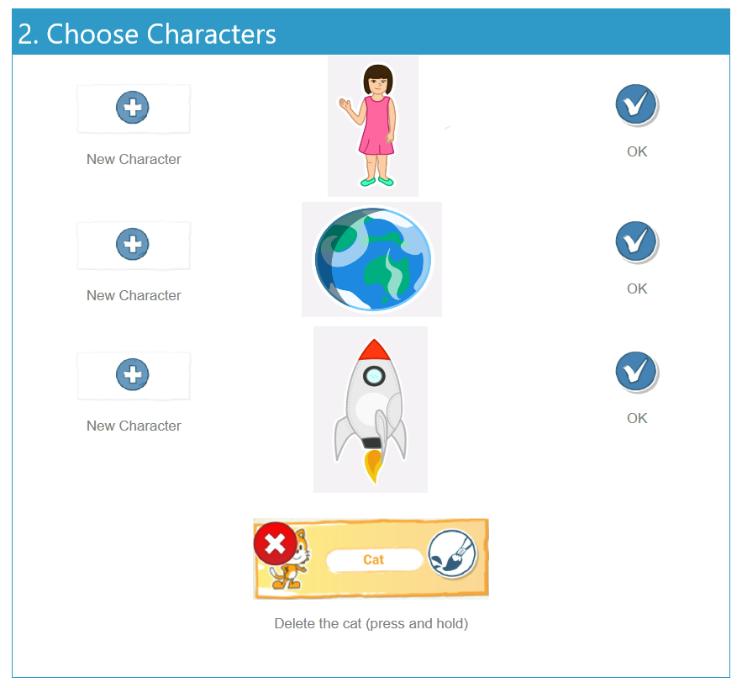
- ● Delete the character.
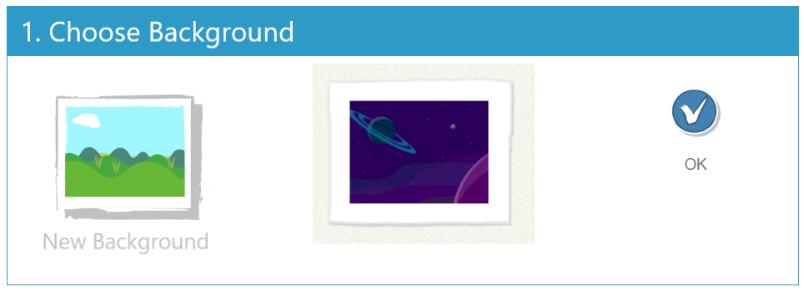
- ● Choose the background with space (Step1 png).
- ● Choose from the characters a woman, a spaceship and Earth (Step 2 png).
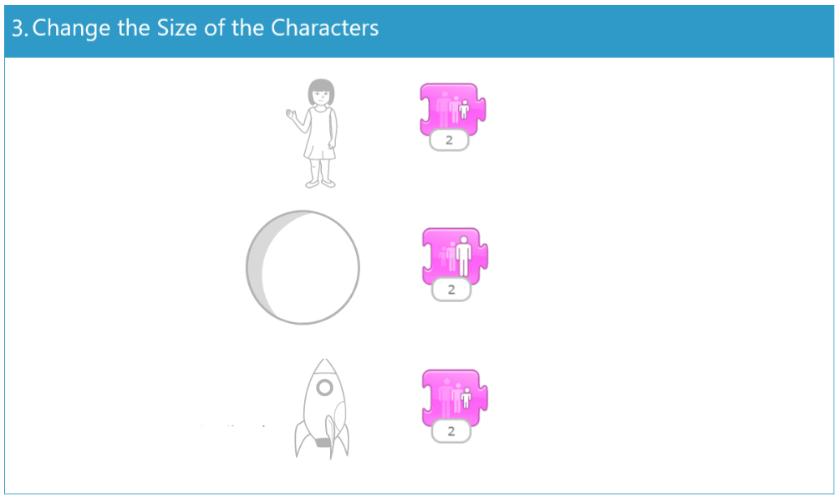
- ● Resize the characters by clicking as many times as needed on the Block "Shrink" or "Grow" (Step 3 png).
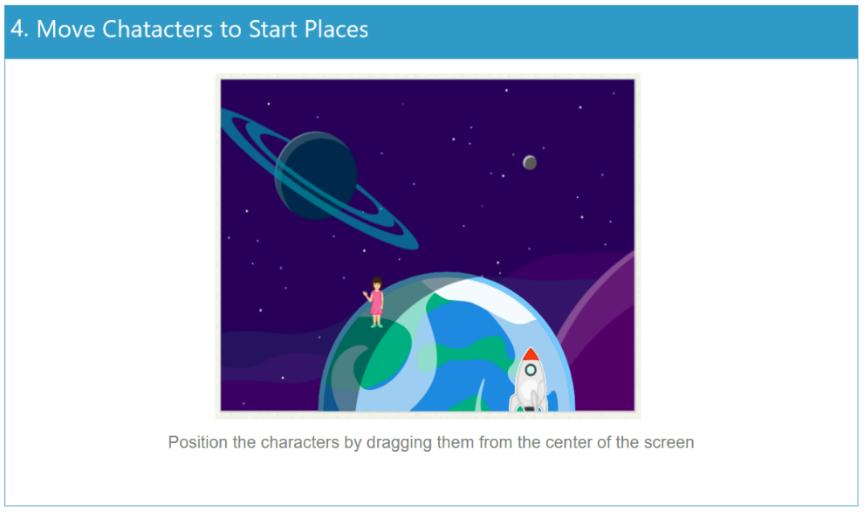
- ● Move the characters to the right position (Step 4 png).
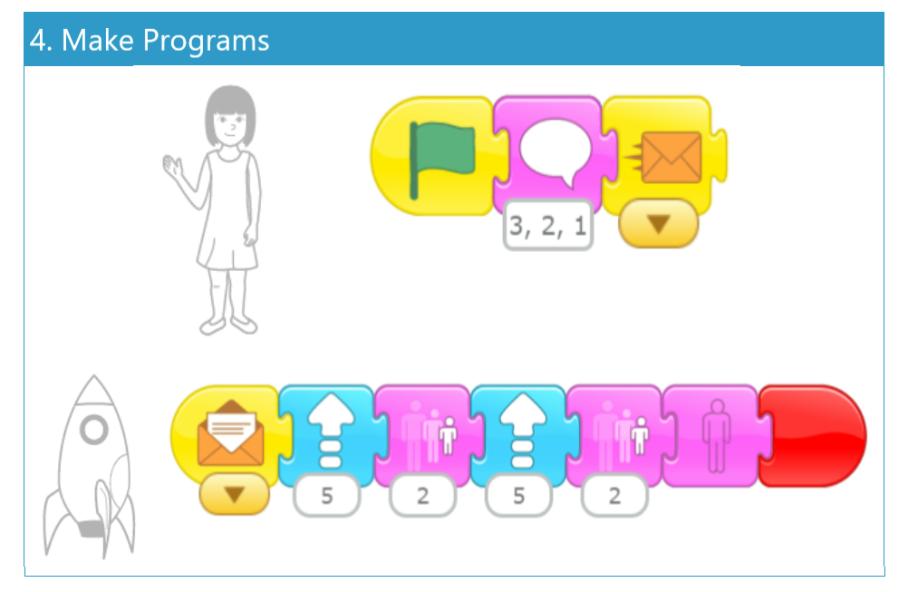
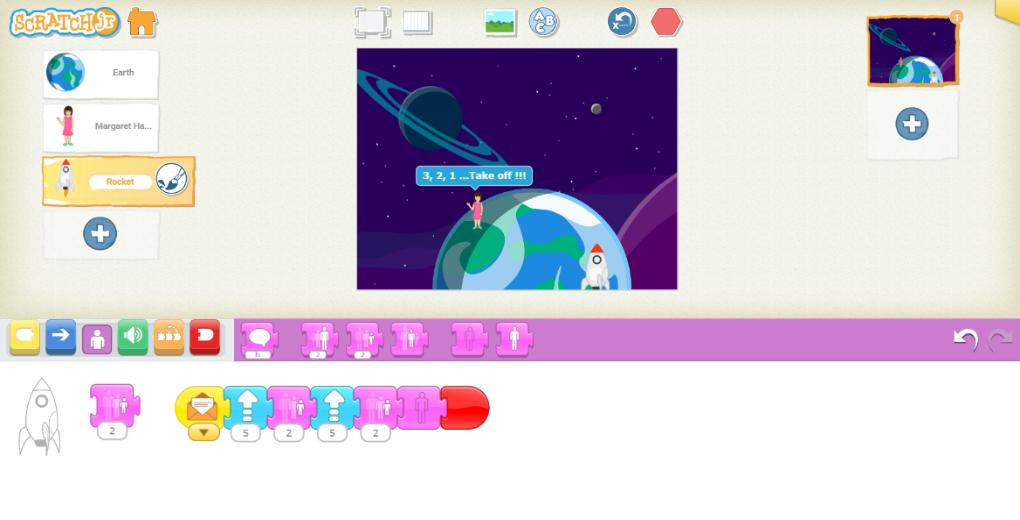
- ● Write the programs so that the woman counts down and when she finishes her words, the spaceship goes up. To achieve this, once the green flag is pressed the woman should say the words you choose and then send a message. The spaceship should receive the message of the same colour and with the correct movement blocks the spaceship should go up. You can also make the spaceship get smaller as it moves away. To program the spaceship you can use simple blocks or the loop of repetition. (Step 5 png).
- ● Run the script by pressing the green flag.
Real life applications:
- This activity is not only an introduction to programming, but is linked to real-life events and applications in science and technology:
- ● Margaret Hamilton developed the software for the Apollo Guidance Computer, which allowed Apollo 11 to land safely in 1969. The activity helps children understand how computers need clear and correct commands to carry out a mission - just as NASA used code to reach the Moon.
- ● Block programming, as in Scratch Jr, is the first step to understanding more complex programming languages currently used in space missions, robotics and artificial intelligence. The same principles are used in the development of autonomous systems, such as Mars exploration robots (Curiosity, Perseverance).
Variations/Suggestions:
- ● If the students are new to the app, you can create the projects first with the printed blocks.
- ● Add more characters such as planets, stars or comets.
- ● Depending on the age and the children's experience with the Scratch Jr app, additional challenges can be added, such as programming the spaceship to avoid obstacles.
- ● Students can also add another page showing the spaceship landing on the moon.
- ● Instead of using the "Say" block, the "Play Recorded Sound" block could be used and the students' voices can be heard.
- ● Add astronaut characters in which you edit the faces and add the students' photos.
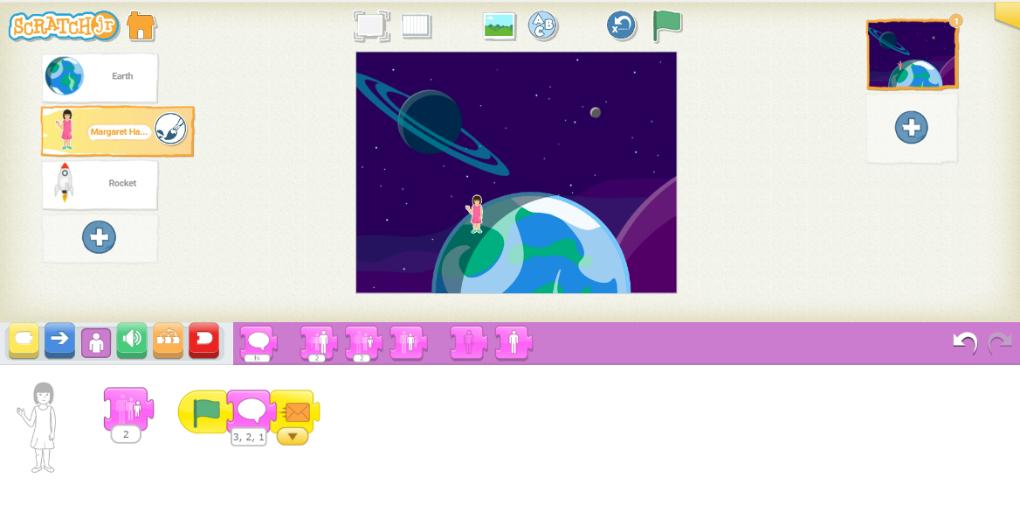
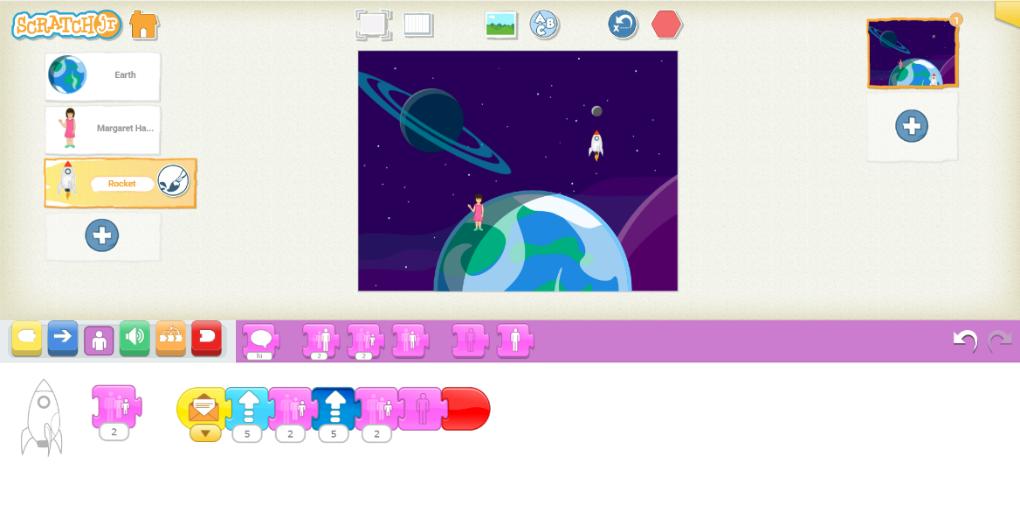
Share the link to your work in your Instagram Bio: tap the Edit Profile button on your Instagram and add the link to your work in the Website field. After that, create a new post, add a screenshot of your work, write “Link in Bio”, add the hashtag #EUCodeWeekChallenge and mention @CodeWeekEU.
Example
 Download this challenge as a word document